Troubleshooting Plausible Analytics
After you've added the Plausible snippet to your site, the dashboard starts displaying stats in real-time as soon as the first visit is counted. There are no delays with data in Plausible.
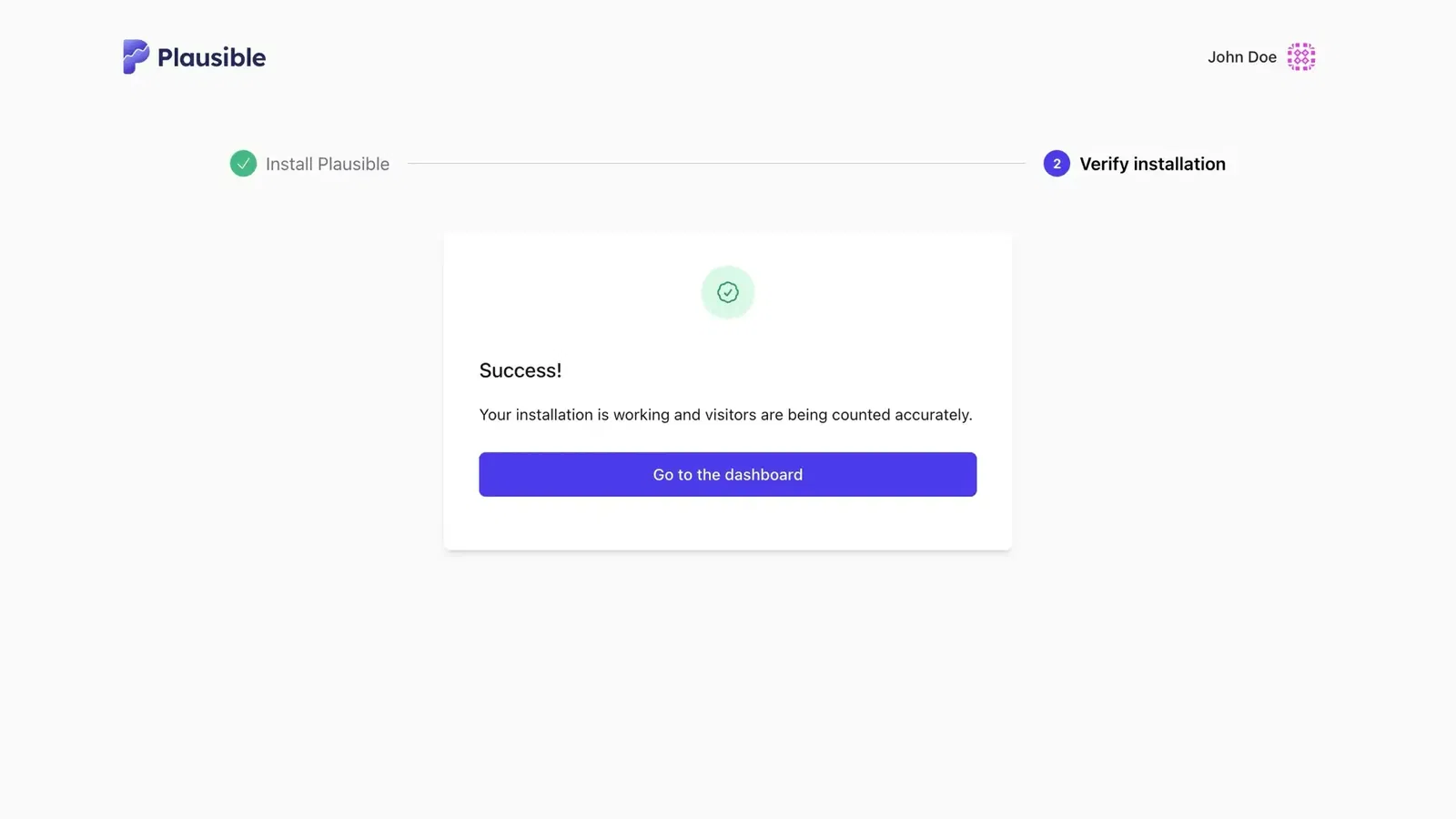
After you add the snippet, your dashboard opens immediately. A banner at the top shows the progress and result of the installation check. Plausible first checks whether it can reach your site and detect the installation, then confirms if visits are being counted correctly.
Our testing tool launches automatically in the backgroundto send test traffic to your site. This test traffic won't be recorded in your dashboard. When the check finishes, the banner displays a status message indicating whether Plausible has been installed correctly.
If the check fails, the banner explains the problem and lets you check again, try another URL, review the installation instructions or verify the installation manually.
Real visits appear in your stats as soon as they are recorded.
The testing tool does not affect your tracking. If real visits are being recorded correctly, you can safely ignore any error or warning the tool shows.
Have you made changes to your integration? You can launch our testing tool at any time from your site settings to verify whether the changes you made have worked.
Quick checklist
Before diving deeper, make sure you have done each of these:
- Added the Plausible snippet to your site's
<head> - Cleared the cache after adding or changing the snippet
- Confirmed no plugin (WP Rocket, a consent banner) is blocking or altering the script
- Confirmed there is only one Plausible snippet on each page
- Confirmed you are not testing on localhost
What are you seeing?
Find your symptom and jump straight to the right section:
- Installation check is still running or shows an error: site unreachable, snippet not loading, cache issue or incorrect URL
- Tracking was working, then it stopped: cache, plugin update or script change
- WordPress plugin issues: admin exclusion, proxy not working, cache conflict or invalid/unresponsive token link
- My own visits are not showing: ad blocker, VPN or WordPress admin exclusion
- Some visitors are not being counted: browser extensions or network-level blockers
- Numbers seem lower than expected: methodology differences, bot filtering or blockers
- UTM parameters not appearing in Campaigns: active session when UTM link was visited
- Referral source is missing: session attribution logic
- Events API events not appearing: bot filtering or misconfigured IP forwarding
No data recorded yet
Have you added the snippet?
We've put together many integration guides covering WordPress, Ghost and other popular platforms. Check that the snippet is in the <head> of every page you want to track.
Have you cleared your cache?
If you use caching, visitors may still see an older version of your site without the snippet. Purge your cache after adding or changing the snippet.
Are you using Google Tag Manager?
Follow our GTM guide for the correct setup using our official template.
Does your site use a Content Security Policy?
If it does, add plausible.io to the allowed domains list. More details here.
Are you testing on localhost?
The Plausible script automatically disables itself on localhost. To enable tracking in local development, see the configuration guide.
Are you running a Google AMP page?
To track AMP pages you need to declare an AMP-analytics object. See the instructions here.
Do you have multiple Plausible snippets on the page?
Multiple snippets may cause stats to be counted twice. Make sure only one Plausible snippet is present on each page.
Is your website on a different URL than the one you added?
Our testing tool visits the exact URL you added to your Plausible account. If your website is at a different address, the tool won't be able to reach it. Use the manual verification process instead.
Have you blocked traffic using Shields?
The Shields feature lets you block visits by IP address, hostname, country or page. Check your active Shields rules to make sure none of them are excluding the visits you expect to see.
Tracking stopped working
Have you cleared your cache after a change?
After updating your snippet, proxy settings or plugin, clear your cache. On WordPress, the proxy requires a specific reset sequence. See WordPress plugin issues below.
Are you using an older version of the script?
If you use a custom proxy, you may not be serving the latest version of the tracking script. Tracking may still work, but the automated verification tool won't be able to confirm it. Update the proxied script to the latest version.
Have you placed the script behind a GDPR consent banner?
Are you using Cookiebot or a similar consent management platform that only loads the Plausible script after the user gives consent? Our testing tool cannot verify the integration in that case. Use the manual verification process instead.
Plausible is privacy-first and compliant with GDPR and ePrivacy regulations. Your legal team may confirm that consent is not required. See our data policy and this legal assessment for details.
WordPress plugin issues
These cover the most common plugin problems. For full setup and every plugin setting, see Adding Plausible to WordPress.
Admin visits are not showing
Our WordPress plugin excludes logged-in administrator visits by default. This is intentional. If you want to track your own visits, go to the "Track analytics for user roles" section in the plugin settings and enable the Administrator role.
Proxy not recording stats after setup
After enabling or changing the proxy, you must clear your cache. The correct sequence is:
- Disable the proxy
- Clear all caches (WordPress, hosting, Cloudflare)
- Re-enable the proxy
- Clear all caches again
Skipping any step often leaves a stale script in place that the verification tool cannot confirm.
Stats stopped after migrating or cloning your WordPress site
The proxy creates a randomly named file in /wp-content/uploads/ and saves its full address. When you migrate or clone your site, that file path may no longer match what the plugin expects, or the address may still point to your old server. If the old server is offline, your pages can take a long time to load while browsers wait for the script. To fix this, disable the proxy, clear all caches, re-enable the proxy and clear all caches again. This forces the plugin to generate a fresh proxy file at the correct path on your new host.
Proxy script is slow
The plugin notifies you if the proxy takes too long (over 500ms) to send pageviews. This usually means the speed module failed to install automatically. To install it manually:
- Access your server using (S)FTP, SSH or your host's file manager
- Go to the plugin directory, usually
wp-content/plugins/plausible-analytics - Open the
mu-plugindirectory inside it and copyplausible-proxy-speed-module.phptowp-content/mu-plugins(create themu-pluginsfolder first if it doesn't exist)
Plugin token showing as invalid
Plugin tokens are site-specific. Make sure the token you are pasting was created for the exact domain you are trying to connect. Tokens always start with plausible-plugin-. If in doubt, create a new token in your Plausible site settings and connect it again.
Token link doesn't do anything
Some browser privacy settings, extensions or ad blockers silently block the click. If nothing happens when you click the token link in the plugin settings, create the token manually instead:
- Go to
https://plausible.io/YOURDOMAIN.COM/settings/integrations?new_token=WordPress, replacingYOURDOMAIN.COMwith your site's domain. - Click Create Plugin Token and copy the token.
- Back in the plugin, paste it into the Plugin Token field and click Connect.
This opens the same page the link normally would, so the rest of the steps are identical.
WP Rocket or another caching plugin is interfering
Performance and caching plugins can minify, combine or delay the Plausible script in ways that break tracking. If you see errors in the browser console related to the Plausible script, add the script URL to the exclusion list in your caching plugin's settings. Our official WordPress plugin includes fixes for the most common conflicts, so make sure you are using it rather than the manual snippet.
My own visits are not showing
Are you blocking the script on your own device?
A browser extension, ad blocker or VPN on your device may be blocking Plausible. Disable extensions or whitelist the Plausible script to start seeing your own visits.
If the verification tool has already confirmed that tracking is working, the rest of your visitors are being counted correctly. To count visitors who use ad blockers, set up a proxy.
Are you on WordPress?
See the WordPress plugin issues section above for admin exclusion, proxy problems and cache conflicts.
Is your visit being filtered out?
Open your browser’s developer tools, select Network and reload the page. Find the event request to /api/event or your proxy’s equivalent and check its response headers.
If you see x-plausible-dropped: 1, your event reached Plausible but was not recorded, even if the response says 202 Accepted. Check your site’s exclusion rules. If you use a VPN, try temporarily disconnecting it: some VPN IP ranges overlap with data centers and are filtered out.
Some visitors are not being counted
Some visitors use tools that block analytics scripts: browser extensions, privacy-focused browsers, Pi-hole and other network-level blockers, and corporate firewalls.
You have two options:
Accept that some visitors won't be counted. For most sites this is a small share of traffic. Plausible is blocked less than most analytics tools. Firefox and Safari have built-in tracking protection that blocks Google Analytics but not Plausible.
Set up a proxy. A proxy serves the Plausible script as a first-party request from your own domain, bypassing most blockers:
- The WordPress plugin has a one-click proxy built in
- Self-setup guides for Cloudflare, Netlify, Vercel and other platforms
- A managed proxy where we handle the setup for you. See proxy introduction for details
Are some VPN visitors being filtered as bots?
Most VPN and Tor visitors are tracked normally and appear under "Anonymous VPN Service" in the Countries report. Some VPN IP ranges overlap with data center infrastructure, so those visits are filtered along with bot traffic. This is a tradeoff of aggressive bot filtering. See bot and spam traffic filtering for details.
Numbers seem lower than expected
Plausible and Google Analytics will never show identical numbers. They measure differently by design, and that is not a sign that something is broken.
Plausible counts differently from GA4. GA4 uses cookies and sessions to stitch together user journeys, samples data on high-traffic properties, and has its own bot filtering. Plausible counts unique visitors by IP and user agent, does not use cookies and applies its own bot filtering. A 10-20% difference between the two is normal, and in some cases larger gaps are expected.
Some visitors use blockers. Ad blockers, privacy browsers and network-level tools like Pi-hole block some analytics scripts. Plausible is blocked far less than GA4, but not by zero. If you want to close this gap, set up a proxy.
Bot filtering removes automated traffic. Plausible excludes traffic from data center IP ranges and other automated sources before it reaches your stats. GA4 filters bots differently and is likely to record much of this traffic as real visits.
In a test we ran, GA4 counted every bot scenario as legitimate traffic while Plausible rejected all of them. See bot and spam traffic filtering for how our filtering works and why analytics tools never show the same numbers for the other common causes.
Imported GA data behaves differently. If you imported historical data from Google Analytics, that data was collected under GA's methodology and may show gaps or anomalies when viewed alongside native Plausible data. See metrics definitions for how each metric is calculated.
UTM parameters not appearing in Campaigns
UTM parameters are only attributed to the first pageview of a new session. If a visitor already has an active session on your site, pageviews with UTM parameters will not update the attribution. A session stays active for 30 minutes after the last pageview.
Common causes during testing:
- You visited the site earlier in the same browser, even without UTM parameters
- Another device on the same network visited the site recently
- You tested multiple UTM links without waiting 30 minutes between each
If your campaign link points to a URL that redirects, for example to another subdomain, the redirect must keep the query string. If it drops it, the UTM parameters never reach the page where Plausible runs. The visit is then attributed to its referrer, or shows as Direct / None when there's no referrer.
To test UTM attribution reliably, use a device and network combination that has not visited your site in the past 30 minutes. Mobile data on a phone that hasn't visited the site recently is the most reliable option. Check the Campaigns tab after the visit to confirm attribution.
Referral source is missing
Referral sources are only counted when they start a new session. If you click several UTM-tagged links in the same session, only the first one is recorded. Wait 30 minutes or use a different device, browser or IP address to start a new session before testing again.
This same mechanism keeps payment gateways and other redirect domains out of your referral sources. Learn more about how referral attribution works.
Events API events not appearing
If you are using the Events API or a proxy for server-side tracking, Plausible can return HTTP 202 Accepted even when an event is not recorded. To check whether an event was dropped, inspect the response headers for x-plausible-dropped: 1. When that header is present, the event was not recorded. Bot filtering and site exclusion rules can cause events to be dropped.
The most common cause is a misconfigured X-Forwarded-For header. If your proxy or backend forwards its own server IP instead of the real visitor's IP, Plausible's bot filter will drop the event. Make sure X-Forwarded-For is set to the real client IP before the request reaches Plausible.
To confirm which IP address Plausible is seeing, add X-Debug-Request: true to your request. The API will return HTTP 200 with the IP it will use for unique visitor counting, so you can verify the header is being passed through correctly.
How to manually check your integration
In some cases, our automated testing tool may not be able to check your site. A manual check is needed in those cases. You can use the developer tools built into your browser (Chrome, Safari, Firefox) to verify that Plausible is working.
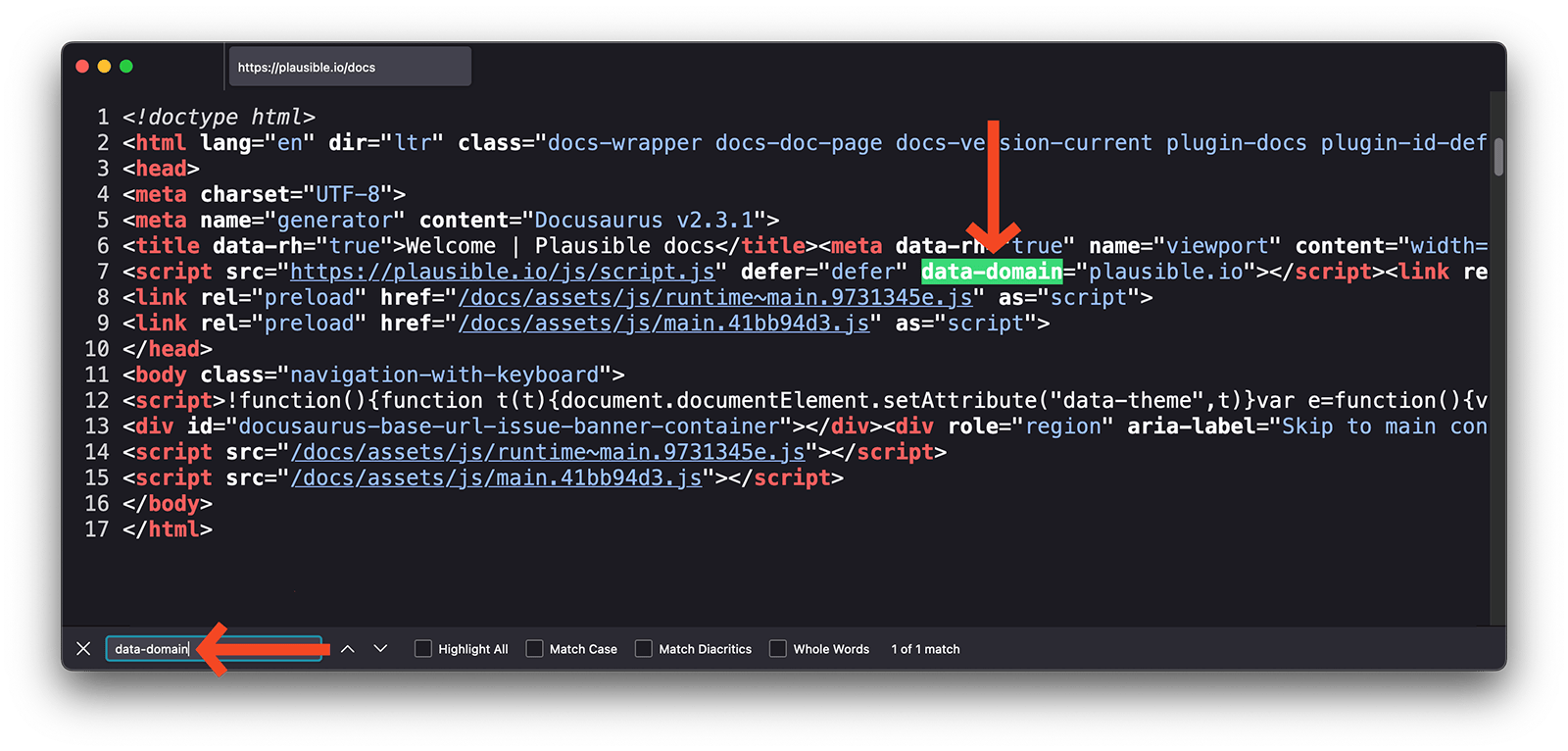
Check for the snippet in your source code
- Visit any page on your site where Plausible is installed.
- Right-click anywhere and click View Page Source (or press
Option+Command+Uon Mac,Ctrl+Uon Linux and Windows). - Press
Command+Fon Mac orCtrl+Fon Linux and Windows and search forplausible.init. - If you see the snippet, confirm it matches the one we provided exactly with no unintended modifications.
Check for the script in browser developer tools
- Visit any page on your site where Plausible is installed.
- Open developer tools: right-click and click Inspect, or press
F12on Firefox or Chrome, orOption+Command+Ion Safari. - In the Console tab, look for any errors related to Plausible.
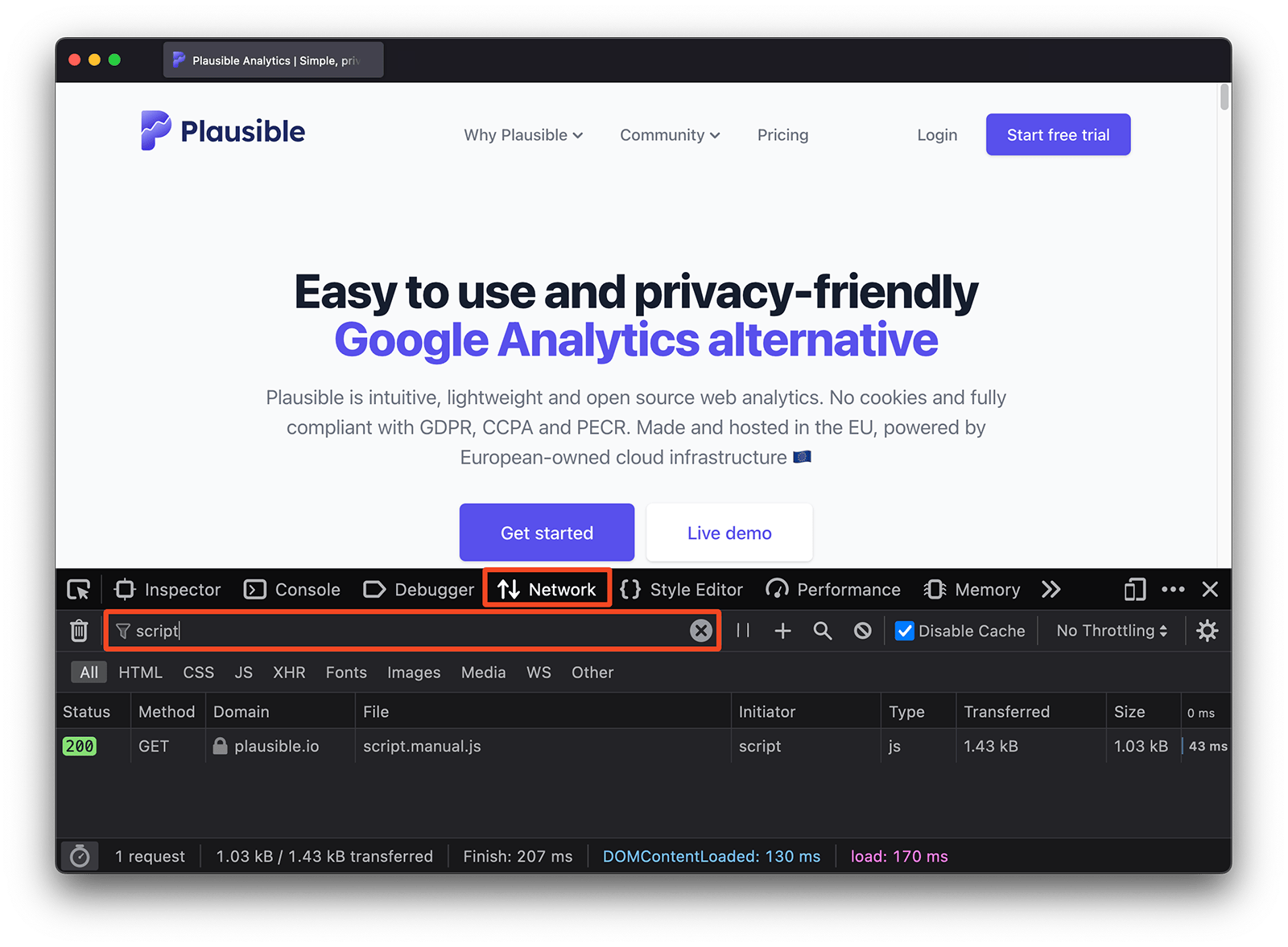
- In the Network tab, reload the page and look for a request from
plausible.iostarting withpa-. It should return status 200.